Lucky Vibe Mobile Casino and App in Australia
 Available in AU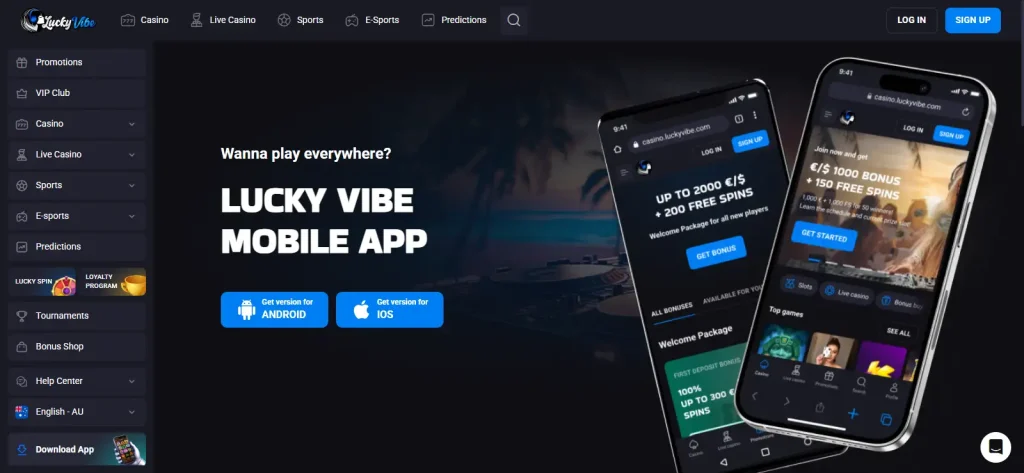
Mobile access for Australia
Lucky Vibe has an AU-localised mobile-accessible site and an official “Download App” page, but the current installation instructions describe a web app added from the browser rather than a separately verified Apple App Store or Google Play listing. On Android, the official page tells users to open the browser menu and choose “Add to the Home Screen”. On iPhone, it directs users to Safari’s Share menu and the same home-screen action.
That distinction matters: Lucky Vibe can be used like an installed shortcut on mobile without proving that a native store-distributed app exists.
Table of Contents
- Is there a Lucky Vibe app for Australia?
- How the Lucky Vibe web app works on Android
- How the Lucky Vibe web app works on iPhone
- What you can reach from the mobile site
- Payments and KYC still need account-specific checks on mobile
- What the official mobile instructions do not establish about a native Lucky Vibe app
- Mobile access does not establish Australian authorisation
- Using Lucky Vibe on mobile in Australia
Is there a Lucky Vibe app for Australia?
There is an official Lucky Vibe AU page labelled “Download App” and “Mobile App”, but the instructions shown on that page are web-app instructions. Android users are told to visit the homepage, open the browser menu and choose “Add to the Home Screen”. iPhone users are told to open luckyvibe.com in Safari, use the Share menu and select “Add to Home Screen”.
That supports a clear conclusion: Lucky Vibe provides an installable browser-based web app experience. It does not, by itself, verify a native iOS or Android listing in Apple’s App Store or Google Play. No store rating, native-app version number, device requirement or app-exclusive feature should be assumed without a confirmed official listing.
| Mobile question | Published information |
|---|---|
| Can Lucky Vibe be opened on mobile? | Yes. The operator has an AU-localised mobile web experience. |
| Does Lucky Vibe provide an install option? | Yes. The official AU page provides home-screen installation instructions. |
| Is a native App Store listing confirmed here? | No. The current official instructions describe a web app rather than an independently confirmed App Store listing. |
| Is a native Google Play listing confirmed here? | No. The current Android instructions use the browser’s home-screen installation flow. |
How the Lucky Vibe web app works on Android
The current AU install page gives a three-step Android flow: go to the Lucky Vibe homepage, open the browser’s three-dot menu, choose “Add to the Home Screen”, then confirm installation. In practical terms, this puts a shortcut or progressive web-app style entry on the device so Lucky Vibe can be launched from the home screen.
Because the official page presents this as a web-app installation, users should not expect the same distribution, update or permission model as a conventional Google Play download unless Lucky Vibe later publishes and verifies a store listing.
How the Lucky Vibe web app works on iPhone
For iPhone, Lucky Vibe’s current instructions use Safari. The user opens luckyvibe.com, taps Share, selects “Add to Home Screen” and confirms with “Add”. Again, this is a browser-based installation flow rather than evidence of a separate native iOS package.
The advantage is straightforward access from the home screen without needing a store download. The limitation is equally important: the official page does not confirm App Store reviews, native notifications, biometric features or other iOS-specific capabilities.
What you can reach from the mobile site
The current AU interface exposes the same broad navigation areas that matter on desktop, including casino games, live casino, promotions, account access, payments information and support links. That means the mobile site is not presented as a stripped-down landing page; it acts as the mobile route into Lucky Vibe’s main content and account environment. For the overall platform context, start with the Lucky Vibe Australia.
For game navigation, use the Lucky Vibe pokies and the dedicated Lucky Vibe live casino. Those pages explain categories and availability boundaries without turning this mobile page into a second game catalogue.
Payments and KYC still need account-specific checks on mobile
Mobile access does not change the underlying payment or verification rules. A user opening Lucky Vibe through a browser shortcut should still check the current cashier for the methods, limits and conditions actually shown to that account. The Lucky Vibe payment methods explains the published payment categories and why public general values should not automatically be treated as AU cashier values.
The same principle applies to identity checks. Lucky Vibe’s KYC policy can require identity and address verification and additional documents. The Lucky Vibe KYC covers those requirements and the official document-review timeframe.
What the official mobile instructions do not establish about a native Lucky Vibe app
No separate official Apple App Store or Google Play listing is currently confirmed. Developer names, store URLs, star ratings, download counts, version history, minimum OS versions and app-only features should therefore not be assumed.
This is not a weakness of the mobile website itself; it is simply a distinction between two delivery models. The evidence currently supports responsive mobile web use plus home-screen installation. If Lucky Vibe later publishes a confirmed native store listing, that would be a different claim requiring a fresh verification.
Mobile access does not establish Australian authorisation
A working AU-localised site or installable web app is evidence of access and localisation, not Australian licensing. The regulatory question should be handled separately from the technical question of whether a site loads on a phone or can be added to the home screen.
For the current regulatory context, see the Lucky Vibe legal Australia. That separation prevents a common inference: an app-like experience can be technically available even when local regulatory status is a separate and more important issue.
Using Lucky Vibe on mobile in Australia
For Australian users, the documented mobile option is the AU-localised Lucky Vibe website plus the operator’s browser-based web-app installation flow. Android installation uses the browser menu and “Add to the Home Screen”; iPhone installation uses Safari’s Share menu and the same home-screen action. That is enough to provide app-like launching without claiming a native App Store or Google Play product. Use the mobile site for navigation and account access, but check payments, verification and regulatory information in the dedicated guides because those rules do not change simply because the site is opened from a phone.
Recommend
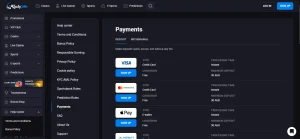
Lucky Vibe Payment Methods Australia
Lucky Vibe Australia Guide Payments guide for Australia Lucky Vibe's official payments material supports several...
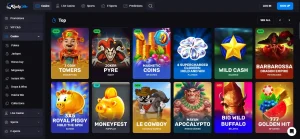
Lucky Vibe Games in Australia: Pokies, Live Casino and More
Lucky Vibe Australia Guide Game library guide for Australia Lucky Vibe's Australian site currently organises...

Lucky Vibe Bonus Australia: Welcome Offer and Reloads
Lucky Vibe Australia Guide Promotions guide for Australia Lucky Vibe's Australian promotions page currently shows...
Is Lucky Vibe Legal in Australia? ACMA Status and Licence Facts
Lucky Vibe Australia Guide Australian regulation and ACMA status Lucky Vibe is not licensed as...
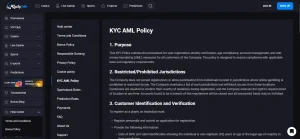
Lucky Vibe Registration and KYC for Australia
Lucky Vibe Australia Guide Account and verification guide for Australia Lucky Vibe's current KYC policy...